
 العربية
 中文
中文 Türkçe
 Français
Wallet news
Travala in the Taccoin Explorer: book flights from your wallet
A flight and stay partner inside the wallet explorer, paid from your crypto balance.
11 October 2026
Read articleTaccoin • Web3 Wallet
Discover Taccoin, your gateway to Web3. Buy USDT and other cryptocurrencies with local payment methods in your country — and receive them in an external wallet, not only inside Taccoin.
Payment methods and availability vary by country and provider. Check the options available for your case.
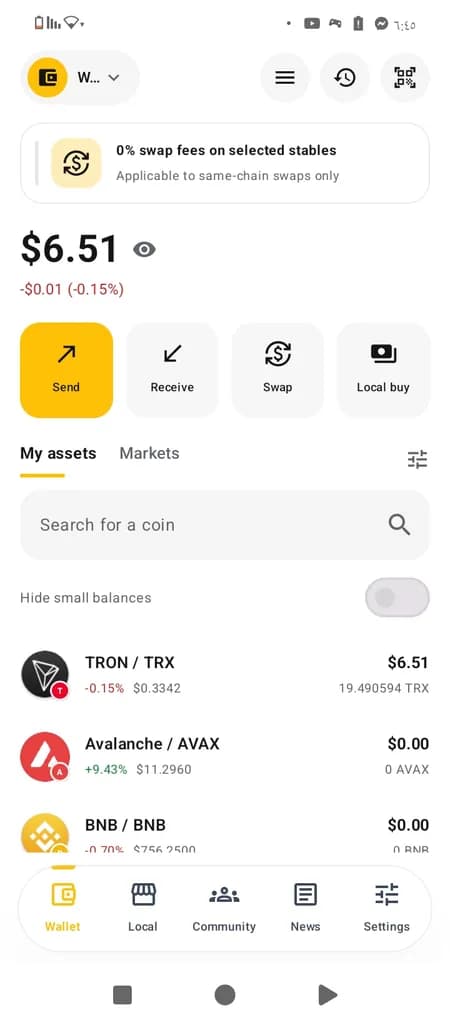
Wallet
Browse wallet, local payments, and settings screens

 EnglishNow in 5 languages
Every screen of the wallet speaks your language — from creating your wallet and backing up your recovery phrase to sending, swapping and buying USDT.
A clear introduction to a crypto wallet experience for USDT and more.
Buy crypto with local methods in your country, even for an external wallet.
Interface and content oriented toward users across the Arab world.
Inside the app
The bottom bar in the Taccoin app opens Explorer: an in-wallet browser of Web3 companies. Book flights with the partner names shown there, and buy clothes directly from your wallet.
Travel partners you can open from Explorer:

Travala
Flights and stays paid in crypto

Alternative Airlines
Multi-airline flights with crypto checkout

LockTrip
Travel and stay bookings over Web3

Destinia
Flights and hotels with digital payment options
Shop these stores from inside the Taccoin wallet and pay from your balance:

DressX
Digital fashion bought from the wallet

The Fabricant
Digital clothing from a Web3 fashion house

RTFKT
Digital wearables tied to your wallet

Tribute Brand
Clothes ordered and paid in crypto

The Dematerialised
A digital fashion store opened from Explorer
Airtime and phone cards from the same explorer:
Bitrefill
Airtime and gift cards from your balance

Coinsbee
Mobile credit and digital gift cards

CryptoRefills
Phone top-ups and payment cards in crypto
The company opens inside the app browser. Availability and payment methods are shown on the partner site.
You can buy USDT and other cryptocurrencies through the local payment methods available in your country. The goal is for the crypto to reach the wallet you choose — including an external wallet — and purchase does not have to happen only inside the Taccoin wallet.
External wallet or Taccoin wallet? You choose the destination based on available options.
How it works
Examples of local payment methods in the region
Images are for illustration only and do not announce a partnership or confirmed availability for every method in every country. Check actual availability for your country.
 Vodafone Cash
 Bank of Palestine
 Jawwal Pay
 Al Rajhi
 Local payments in Turkey
 Local payments in the UAE
Payment method categories
Categories are shown as a general explanation. Actual availability varies by country and provider.
Such as transfers via local banks when available in your country.
Such as Vodafone Cash, Jawwal Pay, and others depending on the country.
Additional methods may appear depending on country and provider.
Select your country to learn about local payment information in Taccoin. Check the app for availability and methods in your country.
Learn about the wallet app, discover how to buy USDT and crypto with local methods even for an external wallet, and follow Taccoin updates.
Taccoin is a Web3 wallet for cryptocurrencies. You can explore buying USDT and more with local methods in your country, with the option to receive funds in an external wallet when available.
Download the Taccoin Web3 wallet app from the official link when available.
Review the local payment method available in your country.
Buy USDT or another cryptocurrency and receive it in the wallet you choose — including an external wallet.
Never share your private keys or recovery phrase with anyone.
App updates, wallet announcements, and everything new about the Taccoin experience.
Wallet news
A flight and stay partner inside the wallet explorer, paid from your crypto balance.
11 October 2026
Read article
Wallet news
Search flights across airlines and pay in crypto from inside the wallet.
11 October 2026
Read article
Wallet news
A travel partner in Explorer for stays and trips paid digitally.
11 October 2026
Read article
Wallet news
Another travel partner inside Explorer for flights and hotels.
11 October 2026
Read article
Wallet news
A digital clothing store opened from Explorer and paid from your balance.
11 October 2026
Read article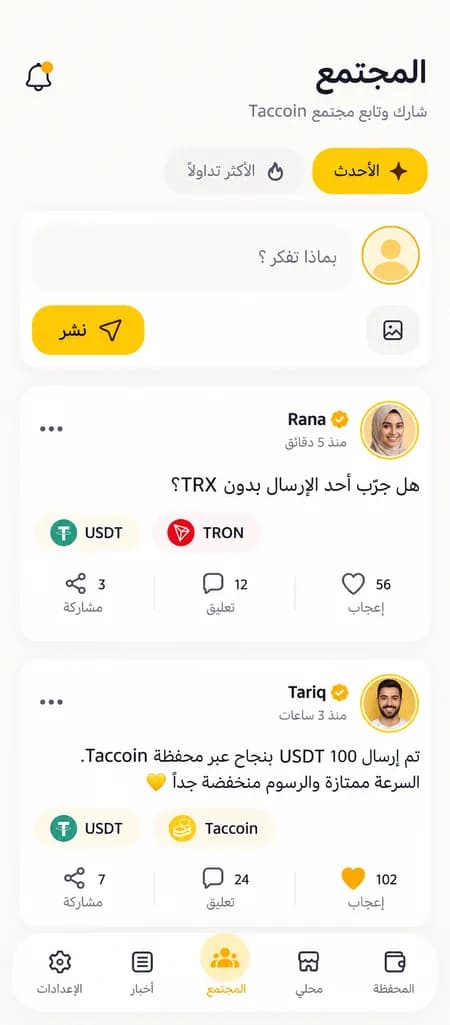
Join Taccoin users in the app: share your experience, ask questions, and follow what the community is saying about USDT, TRON, and crypto.
Taccoin is a non-custodial Web3 crypto wallet built for Arabic-speaking users. One app lets you hold, send, and receive assets, swap tokens, buy and sell USDT with local payment methods, create payment requests by link or QR, and join an in-app community and news feed.
Yes. From the wallet home you open Explorer to book flights with Travala, Alternative Airlines, LockTrip, and Destinia, buy clothes from DressX, The Fabricant, RTFKT, Tribute Brand, and The Dematerialised, and top up a phone through Bitrefill, Coinsbee, and CryptoRefills. You pay from your Taccoin balance where the partner accepts crypto.
Yes. Only you hold your keys. Your recovery phrase is generated and stored encrypted on your device only and is never uploaded to our servers. The Taccoin team cannot access your funds or recover your phrase if you lose it.
Bitcoin, TRON (including USDT-TRC20), and EVM networks: Ethereum, BNB Smart Chain, Polygon, Arbitrum, Optimism, Base, and Avalanche. You can also add any custom token by contract address on supported networks.
When you open the app, choose “Create wallet” to get a new recovery phrase, or “Import” and enter the recovery phrase of a wallet you already have in another app. You can manage multiple wallets and switch between them easily.
With a 4–6 digit PIN and lockout protection, biometric unlock when available, PIN confirmation for every send or swap, and screenshot blocking on sensitive screens. Your PIN is also required to delete any wallet from the device.
Write down your recovery phrase and keep it somewhere safe. You can also save an encrypted backup to Google Drive and restore it later. Never share your recovery phrase or PIN with anyone — the Taccoin team will never ask for them.
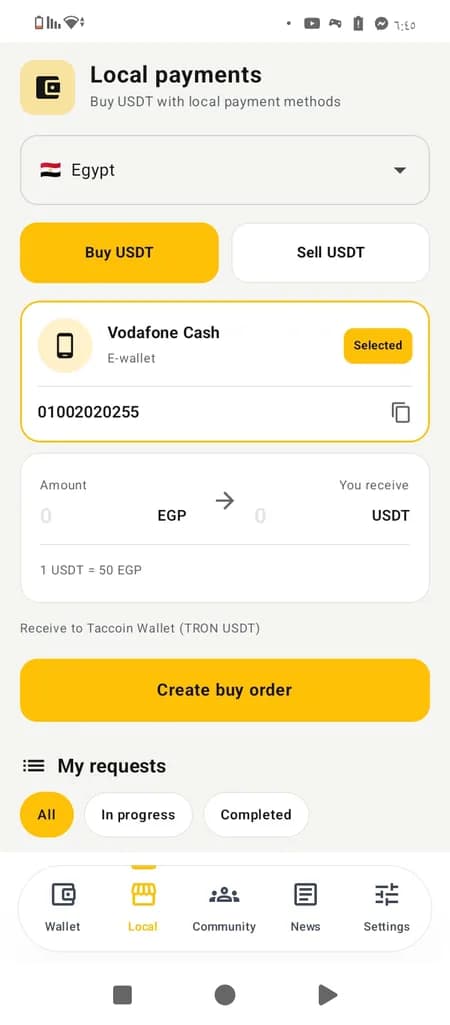
Yes. In the app's “Local” tab, pick your country and payment method (e-wallets or bank transfer depending on the country), then create a buy or sell order for USDT. You see the rate and the amount you will receive before creating the order.
Your orders appear under “My requests” with their status until completion: awaiting payment, under review, completed, or rejected/cancelled. Open any order to see its full details.
No. Methods and availability vary by country and provider. Check the countries list on this site or the Local payments section in the app to see what is available for you.
Not necessarily. The app lets you pay the transfer cost (Energy rental) in USDT itself. The cost is shown before you confirm and is deducted from your USDT balance — no TRX required.
Yes, on supported EVM networks (such as Ethereum, BSC, Polygon, and Base). You see the quote and fees before executing and confirm with your PIN — no exchange account needed. Selected stablecoins have zero swap fees on the same chain.
Create a payment request for a specific amount and token and share it as a link or QR code. The payer opens the link, sees the payment details and your address, and pays you easily while you track the request status.
Add any address to follow its balance and transactions without private keys; you cannot send from it. It shows only tokens of that address's network — for example, a TRON address shows only TRON tokens.
Yes. You get notifications for incoming and outgoing transfers, all collected in the in-app notification center. Tap any notification to see full transaction details with an explorer link.
Yes. The address book (contacts) lets you save addresses under clear names and pick them when sending, avoiding copy-paste mistakes.
An in-app space to post updates and photos, like, comment, and share, browse the latest and trending posts, and get notified when people interact with your posts.
Arabic and English. You can switch language anytime from Settings.
When sending, you pay the network fee (or the Energy cost in USDT on TRON); swaps may include a service fee. All costs are shown clearly before you confirm any transaction — nothing is deducted without your knowledge.
The app is available for Android. Official download links are announced on this website — always download from official links only.
This website introduces the app and shares its news. Supported operations happen inside the app, except payment-request pages shared with you by another user.
From the Taccoin news page on this site, the News tab in the app, and the announced official channels.

Download the app and choose the local payment method that suits your country.
Android may ask you to allow installs from this source.